
Teach it everything about your business.
Hours, services, prices, policies, and FAQs — scanned from your website or typed in by hand, so your AI never has to guess.
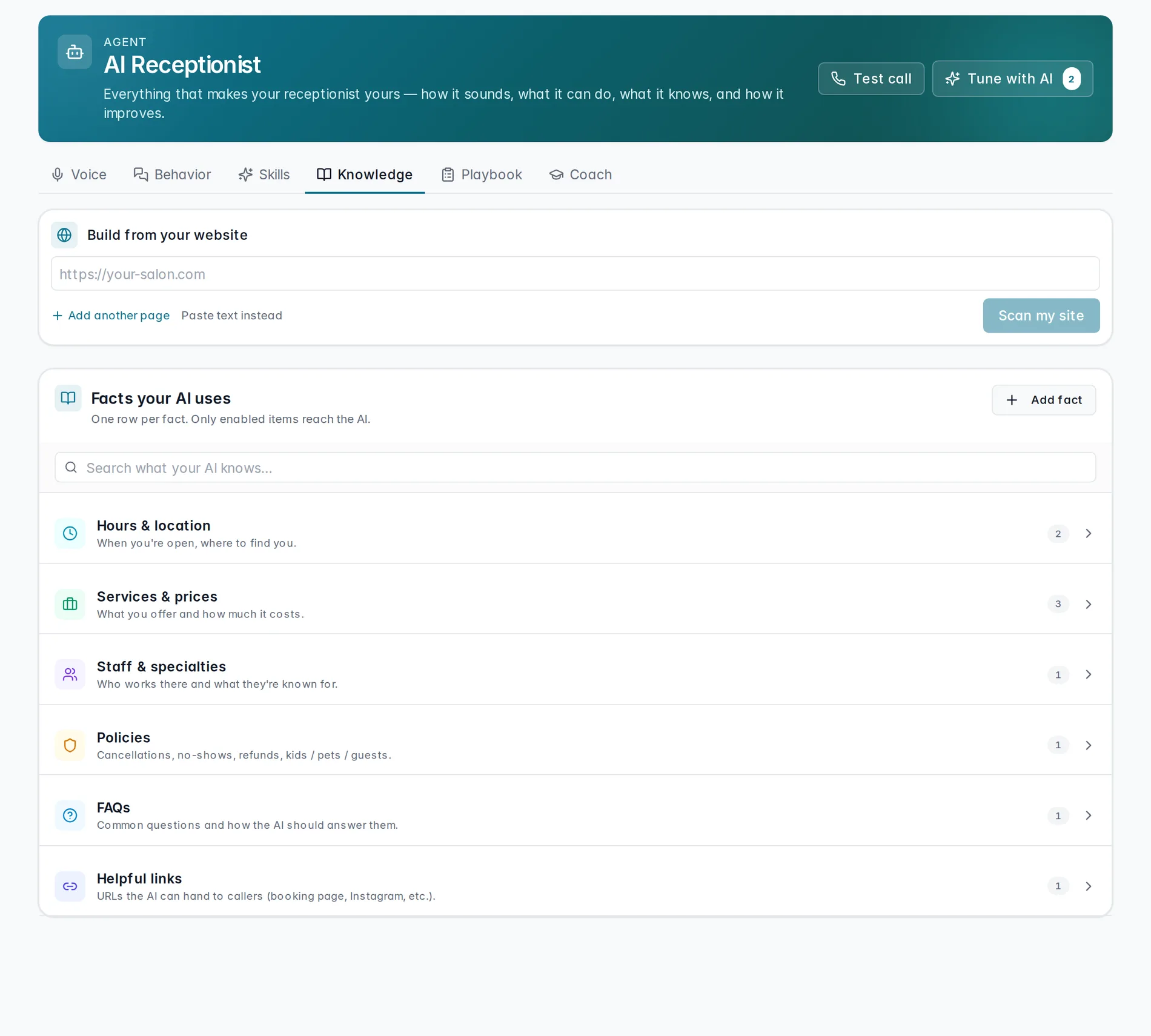
The Knowledge tab of the AI Receptionist hub is where your AI learns the facts it needs to answer callers accurately — pulled from your website, pasted in, or added one at a time.
Start from your website
Paste your homepage URL and press Scan my site — the button reads "Scan my site" for a single page, or "Scan pages" once you've added more than one. While it works, the busy label reads "Chugging coffee…", then hands you a review before anything is saved.
Review what it learned
Scanning opens a modal titled "Here's what your receptionist learned". Each proposed item has a checkbox to accept it, an editable title and body, and a badge — New, Updated, or Unchanged — showing how it compares to what you already have. Accept what's right, tweak the wording to match how you'd say it, or skip what's wrong, then press "Apply selected".
Or paste the text
Some pages won't scan — a handful of Wix and Squarespace sites block it. When that happens, switch to "Paste page text" and paste your hours, services, or policies directly. It goes through the same review before anything is saved.
Your knowledge, organized
Everything the AI knows lands in Facts your AI uses, grouped into categories: Hours & location, Services & prices, Staff & specialties, Policies, FAQs, Helpful links, and Custom notes. Each fact has its own enable toggle — only enabled items reach the AI, so you can keep something on file without it being used yet. To add a fact by hand instead of scanning, press "Add fact".
Watch it in action
A quick tour of scanning a site and reviewing what came back:
Scanning your website into knowledge
Scan a page, review New and Updated items, and apply what's right.
Coming soonKnowledge is what your AI knows — Training your agent is how it keeps getting better at using it. And to shape how it sounds while it talks about all this, see Voice & behavior.
Still stuck? We answer fast.