
When the AI should get a person.
Set when your AI transfers a live call to a person — your default transfer number, your business hours, and special-case rules for situations that need a specific person.
Handoffs controls the moment your AI decides a caller needs a human — and exactly who that call goes to. One master switch, a default number and hours, and as many special-case rules as you need for the rest.
The master switch
Handoffs has one setting that overrides everything else: Allow handoff to a human. Switched on, the AI can transfer a live call to a person when it decides it should. Switched off, it never will — instead it takes a message and notifies you, the same as if no one had picked up.
The switch stays locked until your default transfer number and business hours are set up — more on those next.
Where calls go & hours
Set your default transfer number — your cell, the front desk, whoever should get the calls the AI can't or shouldn't handle itself. Then set your Business hours. Outside those hours the AI won't attempt a transfer at all — it explains that no one's available right now and offers to take a message instead. Hours run on your business's time zone, not the caller's.
Special-case rules
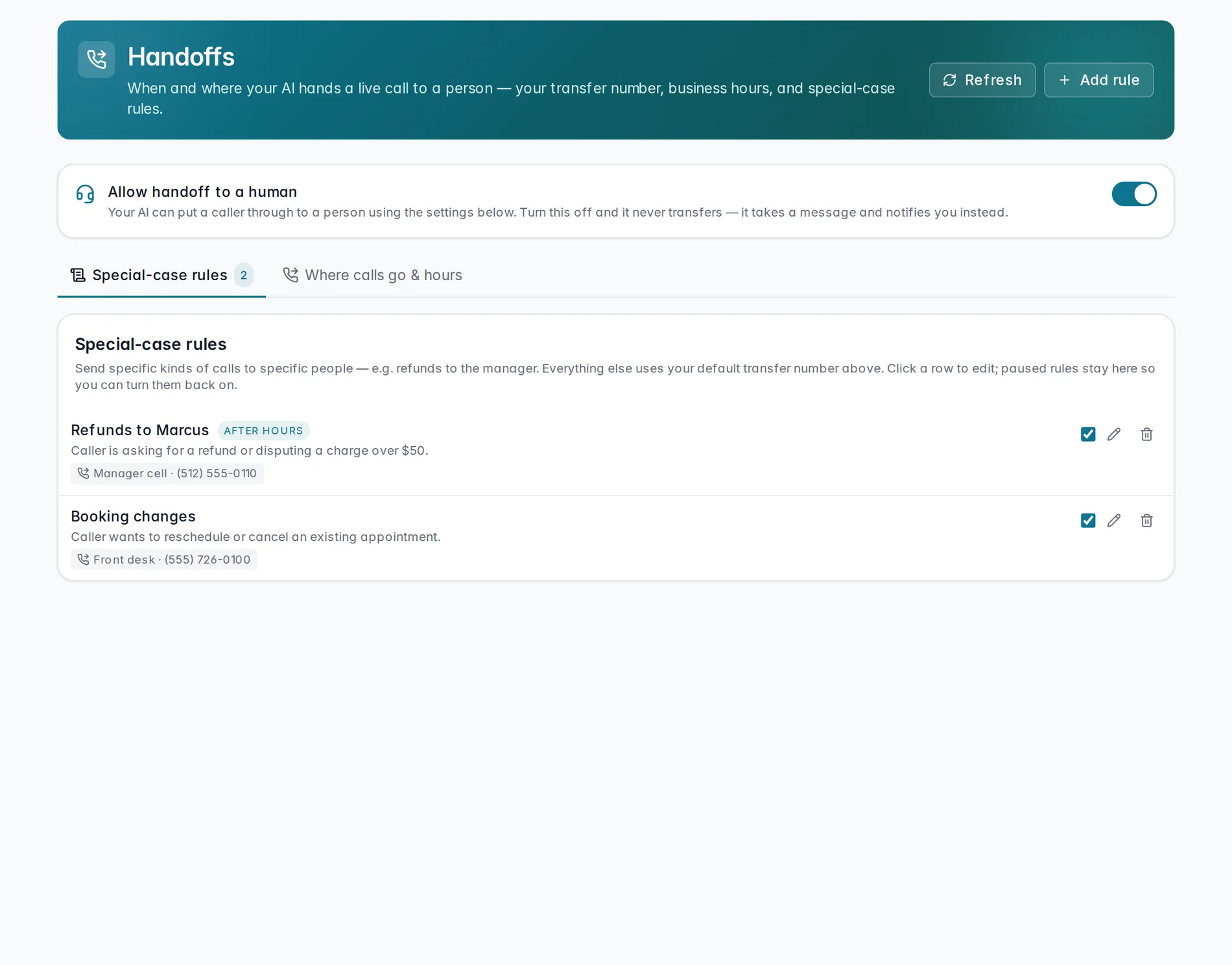
Beyond the default number, you can send specific kinds of calls to specific people — refund requests to your manager, a Spanish-speaking caller to a bilingual team member, and so on. Anything that doesn't match a rule falls back to your default number. Start from a template — Booking changes, Refund requests, Spanish-speaking caller, Emergency or urgent — or build a rule from scratch.
How a rule works
Every rule has three parts: a name you'll recognize later, a condition written in plain English (the AI matches against this, so be specific — "asking for a refund or disputing a charge over $50" beats just "refund"), and one or more destinations it rings in order — the first number, then the next if there's no answer. You can also add a hold message callers hear while it dials, and switch on Available outside business hours if a rule should still work even when the rest of Handoffs won't transfer.
Watch it in action
A quick walkthrough of setting a transfer number and building a special-case rule:
Setting up transfers to a person
The master switch, your default number and hours, then a special-case rule end to end.
Coming soonHandoffs decides what happens once the AI is already on a call. To block, allow, or fast-track specific numbers before it even answers, see Caller routing. And to get pinged the moment a call needs you, set up Owner alerts.
Still stuck? We answer fast.