
Every call and text, in one inbox.
When your AI answers a call or a text, the whole conversation lands in Conversations — with the recording, a readable transcript, and the tags the AI applied. Here's how to work it.
Think of Conversations as your front-desk logbook. Voice calls, SMS threads, and Telegram messages all land in the same list, newest first, so you can catch up in a minute and step in only when you want to.
Where your calls and texts land
Open Conversations from the left sidebar. The list on the left is every conversation; click one to read it on the right. Use the search box to find someone by name or number, and the All / Calls / Texts tabs (or Filters) to narrow things down — for example, only the calls you were billed for, or only the ones flagged to follow up.
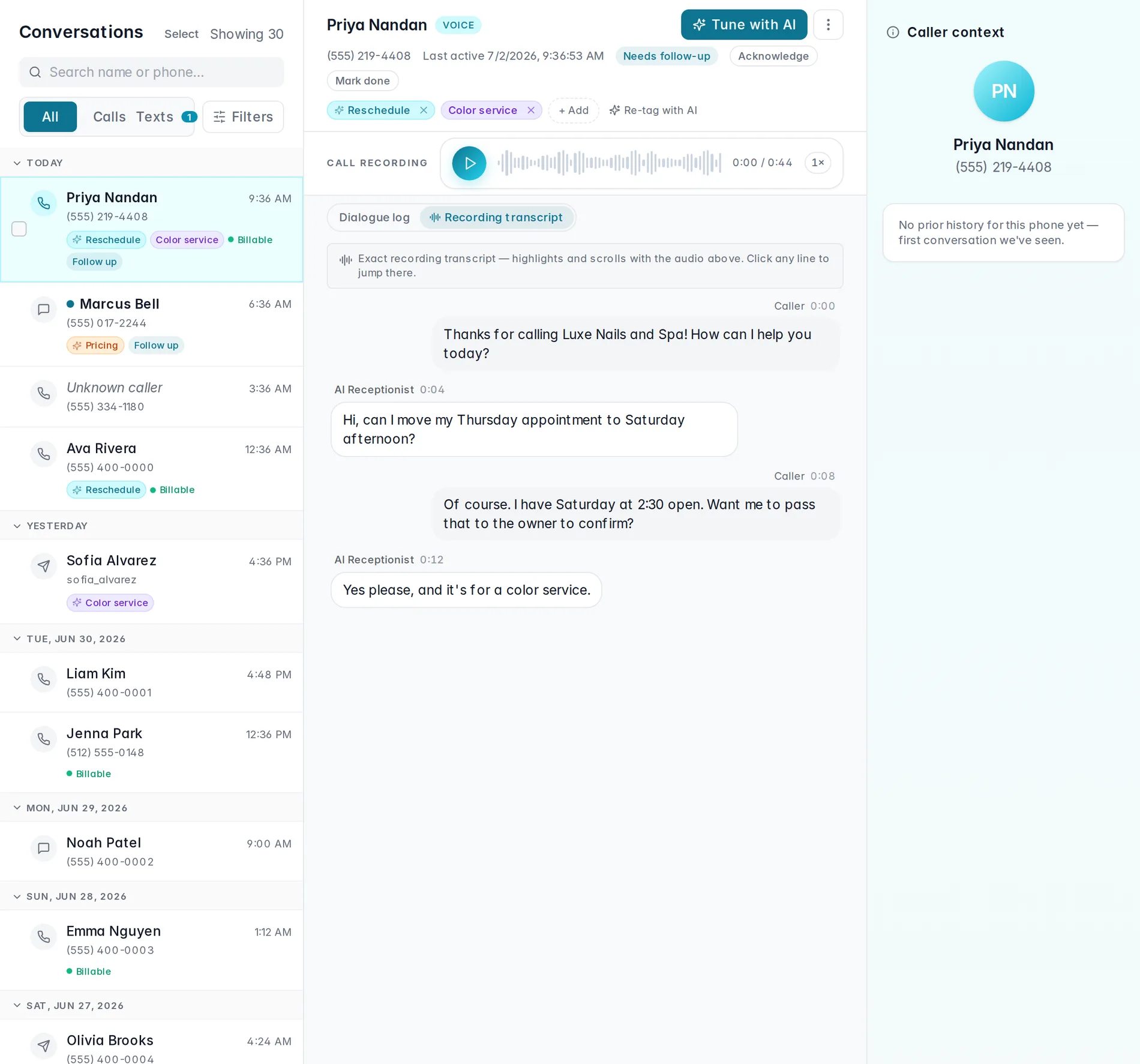
Open a call and listen back
Click any voice call to open it. At the top you'll see who called and how they reached you. Under Call recording, press play to hear the whole thing — the recording follows the call even if it was transferred to a person. Below that is the AI's dialogue log: a readable, turn-by-turn record of what was said.
Dialogue log vs. recording transcript. The dialogue log is what the AI produced during the call. The Recording transcript tab (voice calls with recording on) transcribes the actual audio, including the part after a transfer to a person. Non-English call? Hit Translate to read it in English, then switch back to the original.
Tag it, flag it to follow up
The AI tags conversations automatically (those carry a small sparkle), but you
can add your own with the dashed + Add button, or hit
Re-tag with AI from the ⋮ menu to have it take
another pass. Anything you want to circle back to, mark Follow up —
it shows up as a filter so nothing slips.
Reply by text, or take over from the AI
On an SMS thread you can type a reply and send it yourself, right from the conversation. The moment you jump in, the AI steps back for that thread so you don't talk over each other — you'll see a note that you're handling it, with Resume AI now to hand it back when you're done.
Watch it in action
A quick tour of opening a call, playing the recording, and taking over a text thread:
Working the Conversations inbox
Play a recording, read the transcript, tag, and reply — end to end.
Coming soonWant to be pinged the moment a call needs you — a voicemail, a booking to approve, a caller who wanted a person? Set that up in Owner alerts. And to shape how the AI sounds on these calls, see Voice & behavior.
Still stuck? We answer fast.